
Ever tried sending yourself a big video and ended up staring at the screen while it refuses to upload? Bluetooth isn’t much help either—it moves so slowly it feels like forever. And when you finally look for a USB cable, it’s somehow nowhere to be found.
That’s why fast file-sharing apps make such a difference. Whether you’re sharing holiday photos, sending a work file, or just moving things between your devices, these apps make the whole process quick and hassle-free.
10 Fastest File Sharing Apps for Android and iPhone
1. Nearby Share / Quick Share

Google and Samsung merged their sharing technologies into one seamless system that now works across Android devices. Even better? It recently started talking to Apple’s AirDrop. Think of Quick Share as Android’s answer to AirDrop. It uses a combination of Bluetooth and Wi-Fi to discover nearby devices and then run an actual transfer.
The transfer speed is impressive when you’re sharing between compatible Android phones or tablets. What makes this a top choice is that it’s already built into most modern Android devices. No downloads, no setup hassles. Just enable it in your settings, and you’re ready to share files with nearby friends. Its cross-platform capabilities keep getting better, too.
Best for: Android users who want built-in, reliable transfers without installing anything extra
Similar read: Top 10 Apple Watch Apps
2. AirDrop (iPhone)
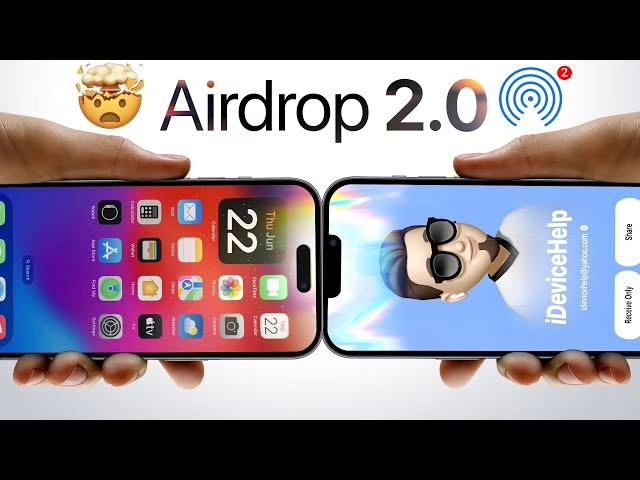
If you’re in Apple’s ecosystem, you already know about AirDrop. It’s been the gold standard for quick file sharing between iPhones, iPads, and Macs for years now. AirDrop handles everything from a single photo to entire folders of 4K videos. Just tap share, select a nearby Apple device, and watch your files zip across in seconds. No pairing, no codes.
Apple built this thing to be fast and secure. It uses encryption by default, so you’re not broadcasting your files to anyone within Wi-Fi range. It only works with other Apple devices, which makes sense, but can be frustrating in mixed-device households.
Best for: iPhone and Mac users who rarely venture outside the Apple universe
3. Send Anywhere
Send Anywhere works on Android, iPhone, Windows, Mac, and even Linux. It’s become a favorite for people who don’t want to switch between multiple apps for different devices. The app uses a clever 6-digit key system. You generate a code on one device, punch it into another, and your files start moving. No accounts required for quick transfers. The direct peer-to-peer connection means your files never sit on some random server.
They go straight from your phone to wherever you’re sending them. What really sets it apart is the security angle. End-to-end encryption and device-to-device transfer ensure files remain secure during transit, making it safe for sensitive documents. Plus, it handles massive files without complaining. We’re talking 30GB+ in a single transfer if you need it.
Best for: Anyone juggling multiple platforms or sharing large files securely
Similar read: Best QuickBooks Alternatives
4. Google Files (Files by Google)

Files by Google lets you transfer stuff between Android devices offline using Wi-Fi Direct. It’s clean, straightforward, and totally free without the annoying ads that plague other apps. The interface sorts your files into neat categories, so you’re not hunting through folders to find what you need.
The offline transfer feature is clutch when you’re somewhere with spotty internet or want to save your data. Just connect two phones, pick your files, and watch them transfer. It’s not the fastest app on this list, but it’s reliable and gets the job done.
Best for: Android users who want a no-frills, ad-free experience
5. SHAREit Lite
The original SHAREit became bloated with features and ads over time, but the Lite version is now back with the basics. The app works cross-platform and can achieve speeds up to 20MB/s over Wi-Fi. That’s quick enough to move multi-gigabyte videos in a couple of minutes.
The CLONEit feature is handy if you’re switching to a new Android phone and want to migrate everything in one go. You’ll still see some ads since it’s free, but they’re less intrusive than the full version. The app supports transferring apps between Android devices alongside the usual photos, videos, and documents.
Best for: Cross-platform transfers when speed matters more than a pristine ad-free experience
6. Xender

Xender has been our favorite file transfer app for ages, and it keeps getting better. The app works across JioPhone, Android, iPhone, and Windows PCs. The system operates at speeds reaching 40Mb/s, and it can transfer entire folders simultaneously. That folder transfer capability is legitimately useful when you’re backing up or moving organized collections of files.
The Phone Clone feature mirrors your old device to a new one, which saves hours of manual copying. Here’s the catch: ads and random pop-ups. They’re annoying but manageable if you’re willing to put up with them for the speed and features. There’s also a built-in video-to-MP3 converter if you need that sort of thing.
Best for: People who transfer folders regularly and need cross-device compatibility
Similar read: 10 Best MS Office Alternatives
7. Zapya

Zapya lets you connect and send files to multiple devices at once, which makes it perfect for group sharing scenarios. Got photos from a party you want to share with five friends simultaneously? Zapya handles it without making you send to each person individually. The Speed Optimization tools let you tweak connection settings to maximize transfer rates based on your situation.
It’s another cross-platform solution that works with Android, iPhone, and Windows. The interface feels more polished than some competitors, though you’re still dealing with ads in the free version. Still, the multi-device capability makes it stand out.
Best for: Group transfers or sharing with several people at once
8. Snapdrop

Snapdrop is a s a web-based solution that works right in your browser, no app installation required on computers. There is an Android app available, but the web version works across everything. The concept is inspired by AirDrop but works on any platform. Connect devices to the same Wi-Fi network, open snapdrop.net, and your devices appear automatically. Click, select files, and done.
Files are transferred via peer-to-peer connection, meaning they never touch external servers. Recent developments split the service into Snapdrop and PairDrop, with PairDrop being the more actively maintained version. Both work similarly and prioritize privacy over fancy features. No accounts, no cloud storage, just direct device-to-device sharing.
Best for: Quick one-off transfers where you don’t want to install yet another app
Similar read: 10 Online Project Management Tools
9. WeTransfer
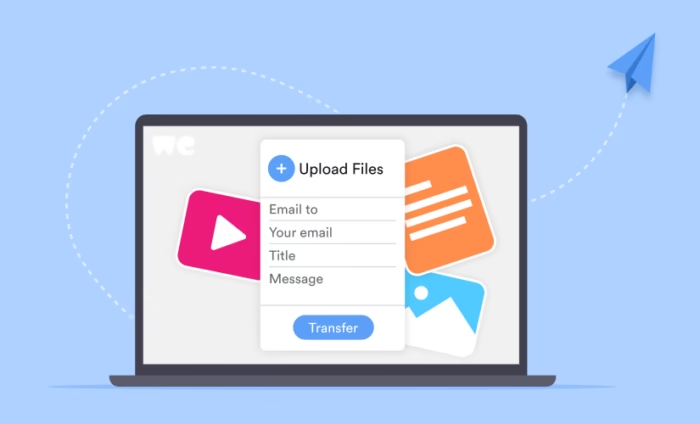
Instead of direct device connections, WeTransfer uses the cloud. You upload files, generate a link, and share that link with whoever needs the files. The free version lets you send up to 2GB per transfer, which covers most scenarios. Recipients don’t need an account or app. They just click your link and download. It’s ridiculously simple for sharing with people who aren’t tech-savvy.
The trade-off is that you need a decent internet connection since everything goes through WeTransfer’s servers. But the convenience factor is high, especially for email-style sharing where you’re sending files to people you’re not physically near.
Best for: Sharing large files with people remotely via a simple link
10. Feem v4
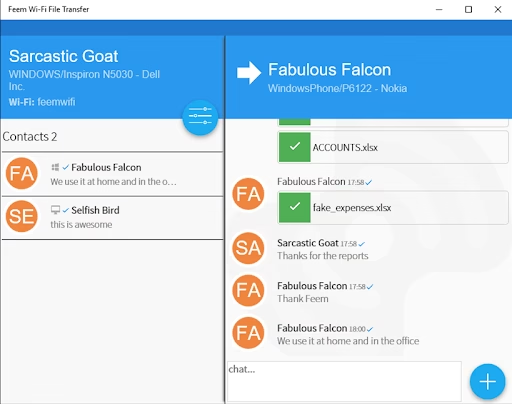
Feem operates on your local Wi-Fi network, transferring files directly between devices without touching the internet. No servers, no cloud, just point-to-point. Transfer speeds hit 15-20MB/s, faster than traditional USB transfers. The app supports resumable transfers, too, so if something interrupts your file transfer, you don’t start from scratch. You pick up right where you left off. What’s really cool is the full-duplex operation.
You can send files to one device while simultaneously receiving files from another. Most apps make you wait, but Feem multitasks like a champ. It works across iOS, Android, Windows, Mac, and Linux. The free version includes ads that occasionally interrupt with upgrade prompts, but the core functionality works great. All transfers use TLS encryption for security, putting it ahead of many competitors on the privacy front.
Best for: Power users who transfer files frequently and want maximum speed with security
Similar read: 10 Best Email Apps for Android
Conclusion
So which one should you actually use? It depends on your situation. If you’re all-in on one ecosystem, stick with the native options. AirDrop for Apple, Quick Share for Android. They’re fast, reliable, and already installed. Why overcomplicate things? For mixed-device households or workplaces, Send Anywhere and Xender give you the flexibility to move files regardless of what phone or computer someone’s using. The cross-platform support is genuinely valuable.

- 10 Best File Sharing Apps to Send Large Files Online - November 2, 2025
- 10 Best Mobile Photo and Document Printers for Pro Users - May 19, 2025
- 10 Google Alternatives for Private and Smart Searching - May 9, 2025


In my opinion, the shareit application at shareitdownload.net is very great, it helps me save a lot of time and effort.