Last Updated on April 5, 2026
Last updated: April 2026
The best news apps for Android and iPhone in 2026 are Google News, Apple News, Flipboard, BBC News, AP News, Reuters, SmartNews, Feedly, CNN, and Ground News. Each one serves a different kind of reader, from the casual scroller to the research-obsessed professional who wants full control over every source they consume.
But here’s the real problem most people face: there are dozens of news apps out there, and most of them look the same at first glance. You download one, get overwhelmed by irrelevant headlines, delete it, and go back to doomscrolling Twitter. Sound familiar?
The difference between a good news app and a great one comes down to a few things: how it personalises your feed, whether it helps you avoid bias, how it handles offline reading, and, honestly, how much it respects your time. According to the Reuters Institute Digital News Report 2024, over 85% of global users are now concerned about disinformation online. That stat alone tells you that picking the right app isn’t a minor decision. What you read shapes what you think.
So we tested all ten of these apps across Android and iPhone to give you a clear, honest breakdown. No paid placements. No vague praise. Just what actually works, and what doesn’t.
Quick-Pick Comparison

What Makes a Great News App in 2026?
Before we get into the list, it helps to understand what we actually looked for when testing these apps. Because “best” means different things depending on who you are.
We evaluated each app across five criteria: personalisation quality, source diversity, offline functionality, interface design, and bias transparency. We also factored in real user feedback from the Google Play Store and Apple App Store as of April 2026, alongside analysis from TechRadar (February 2026) and MobileAppDaily (January 2026).
One thing that stood out immediately: most news apps are designed to keep you inside their ecosystem, not to make you a better-informed reader. The apps that rose to the top of this list are the ones that actually try to serve you, not just your engagement metrics.
Top 10 Best News Apps for Android and iPhone
1. Google News: Best for AI-Powered Personalisation
Platform: Android and iOS | Price: Free | Rating: 4.4/5 (Play Store)
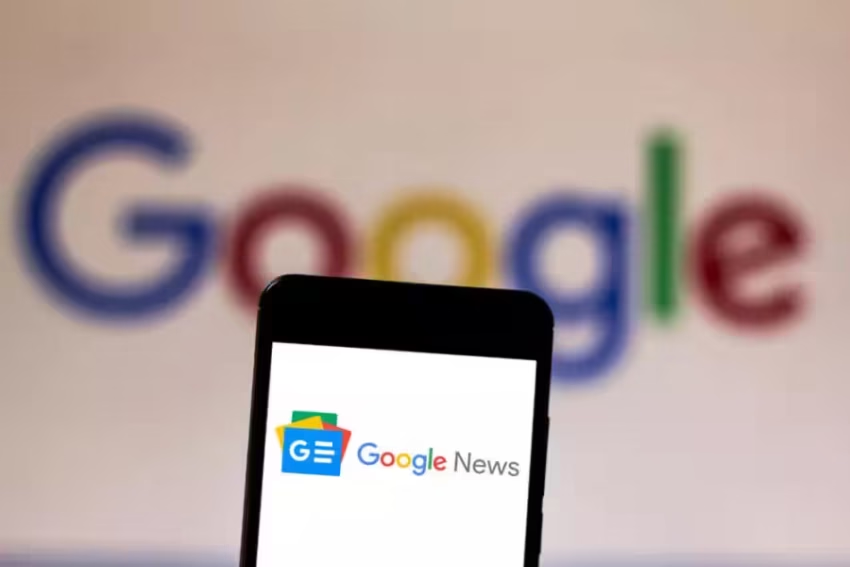
If you want zero setup and a genuinely smart feed from day one, Google News is the obvious starting point. It’s the most-downloaded news aggregator globally, and honestly, it earns that position.
The app learns your reading habits over time using Google’s data infrastructure, which sounds a little unsettling until you realise how well it actually works. Your morning briefing gets sharper every week. Topics you ignored fade out. Stories you clicked on get more context in the sidebar.
The standout feature, and the reason this app deserves the top spot, is Full Coverage. Tap it on any story, and you get reporting from multiple outlets across the political spectrum, timelines, social reactions, and related background pieces. It’s one of the most practical tools available for cutting through one-sided headlines, and it’s completely free. Given that the Reuters Institute found 85%+ of global users worried about disinformation, that feature matters more than most people realise.
What we liked: Completely free, excellent local news integration, cross-platform sync via your Google account, genuinely diverse sources.
What to watch: The algorithm controls a lot of what you see, and you can’t add RSS feeds manually. If you don’t want Google knowing your reading habits, this one’s not for you.
Best for: Anyone who wants a strong, personalised daily feed without any setup effort.
2. Apple News: Best for iPhone and iPad Users
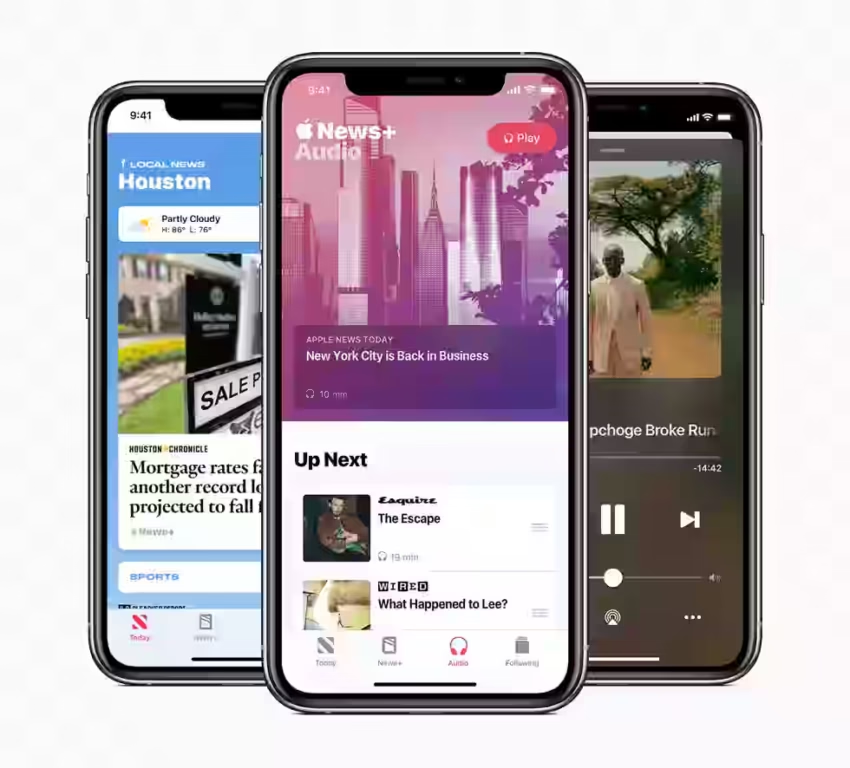
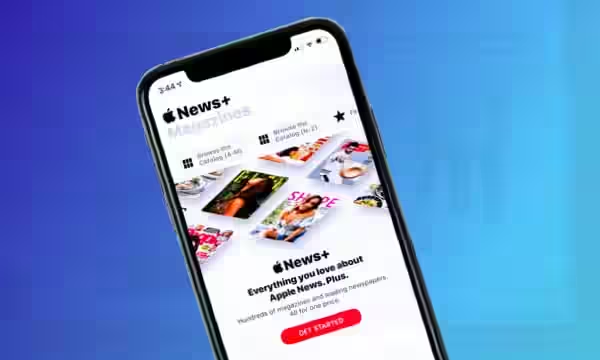
Platform: iOS and macOS only | Price: Free; News+ at $12.99/month | Rating: 4.6/5 (App Store)
Apple News has an unfair advantage: it comes pre-installed on every iPhone and iPad on the planet. But it’s earned its place here beyond distribution alone.
The free tier gives you a curated, editorially-selected feed that feels more like a magazine than a news ticker. Upgrade to Apple News+, and you unlock 300+ premium publications, including The Wall Street Journal and National Geographic, all under one subscription. For heavy readers who’d normally pay for three or four outlets separately, $12.99 a month is genuinely good value.
Two things set Apple News apart from almost everything else on this list. First, the Audio tab lets you listen to narrated articles hands-free, which is useful if you commute or exercise. Second, and this is underrated: Apple personalises your feed entirely on-device. Your reading habits never leave your phone. In a world where data privacy is a growing concern, that’s a real differentiator.
The downside is obvious: Android users can’t access it at all. And the free tier leans heavily toward premium, paywalled sources, which limits how much you can read without subscribing.
Best for: iPhone users already in the Apple ecosystem, especially those who read a lot and would benefit from an all-in-one magazine subscription.
3. Flipboard: Best for Visual, Magazine-Style Browsing
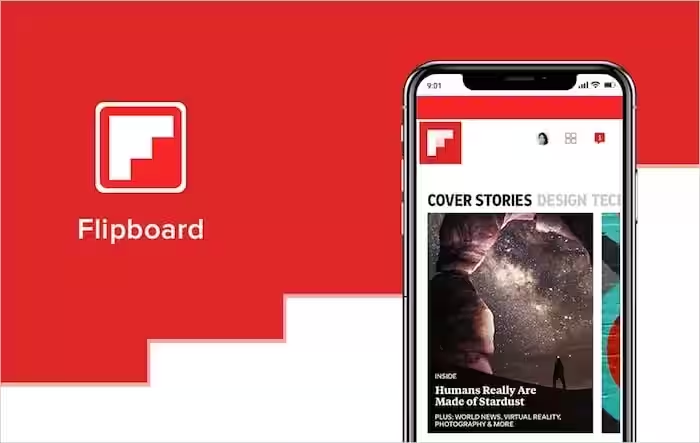
Platform: Android and iOS | Price: Free | Rating: 4.3/5 (Play Store)
Flipboard is the app you download when you’re bored with every other news app feeling like a wall of text.
The swipe-to-flip navigation is genuinely satisfying. Large image-forward cards, clean typography, and the ability to create your own custom Magazines (essentially curated article collections you can build and share) make this feel more like a creative tool than a news reader. Multiple 2026 reviewers at BestApp.com named it the best overall pick for customisability, and that tracks with our testing.
You can follow topics via hashtags, pull in social media content alongside traditional journalism, and organise everything around your interests rather than an algorithm’s guess at what you might like.
The caveats are worth flagging. Ads appear between articles, and there’s no paid option to remove them, which gets old quickly. It’s also not the fastest app for breaking news. If you’re chasing live updates, the BBC or AP apps will serve you better. Flipboard is for the reader who wants to enjoy the experience, not race through it.
Best for: Readers who find standard news feeds visually dull and want to curate their own reading experience.
4. BBC News: Best for Trusted Global Journalism
Platform: Android and iOS | Price: Free (partial paywall as of late 2025) | Rating: 4.2/5 (Play Store, April 2026)
The BBC has journalists reporting from more countries than almost any other news organisation on Earth. That global reach shows up immediately in the app. For international stories especially, the BBC consistently offers more depth and context than algorithm-driven aggregators.
Live streaming, BBC World Service Radio, one-minute video summaries, and the My News personalisation feature round out an impressive feature set. Breaking news alerts are fast and reliable.
Here’s what most competitor reviews aren’t telling you, though: the BBC introduced a partial subscription paywall in late 2025, and it’s generated significant backlash on the Play Store. The rating dipped noticeably following the change. Core free access still exists for most content, but some in-depth pieces and premium features now sit behind a subscription tier. If you’ve relied on BBC News as a free primary app for years, that’s worth knowing before you commit to it in 2026.
The app also skews slightly UK-centric in framing, which occasionally colours the angle on international stories. Not dramatically, but enough to notice.
Best for: Readers who prioritise international reporting and multimedia depth, and who don’t mind the partial paywall situation.
5. AP News: Best for Unbiased, No-Frills Reporting
Platform: Android and iOS | Price: Free | Rating: 4.5/5 (App Store)
Here’s something most people don’t realise: when you read a news article on CNN, BBC, or almost any major outlet, there’s a decent chance the original reporting came from the Associated Press. AP is the wire service that feeds much of the world’s journalism. The AP News app gives you that source directly, without the editorial spin layered on top.
No opinion columns. No algorithmic drama. No flashy branding, trying to keep you engaged. Just fast, fact-checked, globally-sourced journalism. PC Outlet (August 2025) ranked it alongside Reuters as one of the most consistently unbiased apps available on mobile.
The interface is clean to the point of being sparse, and that’s intentional. Award-winning photojournalism galleries, customisable topic alerts, and offline reading capability are the standout features. It won’t win any design awards, but it delivers what it promises every single time.
Think of AP News less as your primary app and more as your antidote to filter bubbles. Run it alongside Google News, and you get the personalised feed plus the grounding of raw wire journalism.
Best for: Readers who want facts without framing, or who use it as a trustworthy secondary source alongside a more personalised app.
6. Reuters: Best for International Business and Political News
Platform: Android and iOS | Price: Free | Rating: 4.4/5 (App Store)
Reuters sits in a similar space to AP News in terms of journalistic credibility, but with a noticeably stronger focus on financial markets, geopolitics, and political analysis. With content sourced from over 2,000 journalists across 180 countries, the depth of international coverage here is genuinely hard to match.
The Editorial Highlights feature is what makes Reuters stand out from the crowd. It curates opinion pieces from multiple political perspectives on the same story, so instead of just reading one angle, you see how different sides of a debate actually think. That’s rare. Most apps either avoid opinion entirely or funnel you into one direction without telling you.
Reuters tends to be overlooked in top-10 lists because it’s not the flashiest app and doesn’t market itself aggressively. But for professionals, researchers, and anyone who’s grown genuinely tired of partisan framing, it’s arguably the strongest recommendation on this entire list.
Best for: Professionals tracking finance, geopolitics, or international business who want balance without sacrificing depth.
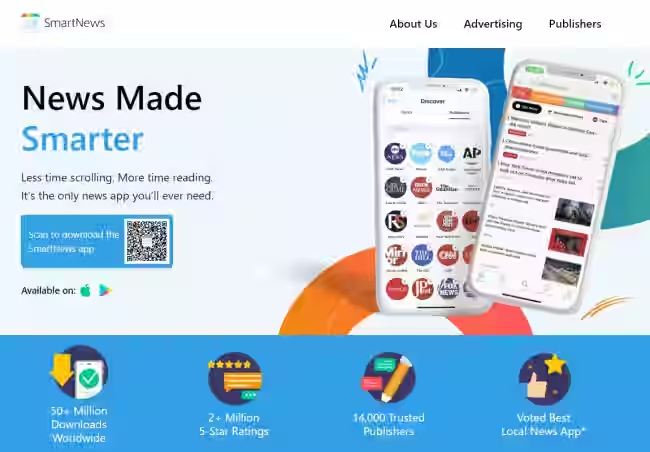
7. SmartNews: Best for Offline Reading and Commuters
Platform: Android and iOS | Price: Free | Rating: 3.7/5 (Play Store, 643,000+ reviews)
SmartNews built its reputation on one feature that no other app on this list does better: offline reading. It automatically caches articles in the background so you can read on the subway, on a flight, or anywhere your signal drops. If you commute daily or travel frequently, this alone makes it worth installing.
The channel-based layout covers news, sport, finance, health, and entertainment in a clean, easy-to-navigate format. SmartNews has won multiple industry awards including the 2025 Best Mobile App Award, and its Left/Right News channel offers a simple way to compare how different political outlets cover the same story.
But here’s something most reviews in 2026 are glossing over: recent Play Store feedback is flagging increasingly aggressive ads in the current version. The rating dropped to 3.7 based on over 643,000 reviews, largely driven by ad-loading complaints. The core app is still solid, but the ad experience has worsened meaningfully compared to previous versions. Go in with realistic expectations.
Best for: Commuters, travellers, and anyone who regularly finds themselves without a reliable signal and still wants to read the news.
8. Feedly: Best for Power Users and RSS Control
Platform: Android and iOS | Price: Free (up to 100 sources); Pro at $7/month | Rating: 4.5/5 (App Store)
Most news apps decide what you read. Feedly lets you decide everything.
Instead of relying on an algorithm, you build your own feed by subscribing directly to websites, blogs, YouTube channels, newsletters, research journals, and anything else with an RSS feed. It’s the closest thing to having a personal news editor who only covers exactly what you care about.
The AI assistant, Leo, helps filter and prioritise content across your feeds, surfacing the most relevant pieces and summarising key points. Companies including Airbus and Cloudflare reportedly use Feedly for competitive intelligence workflows, which gives you a sense of how seriously some professionals take it.
The free plan supports up to 100 RSS sources across 3 categories, which is plenty for most readers. Push notifications, team boards, and advanced integrations with tools like Zapier and Slack are locked behind the $7/month Pro plan.
Fair warning: setup takes real effort. You’re essentially building your own newspaper from scratch. If you’re looking for a one-tap solution, this isn’t it. But if you follow niche industries, independent writers, or specific research areas that mainstream apps simply don’t cover well, Feedly is genuinely in a different league.
Best for: Professionals, researchers, and hobbyists who want complete control over their information diet.
9. CNN: Best for US Breaking News and Video Content
Platform: Android and iOS | Price: Free | Rating: 4.1/5 (Play Store)
CNN’s app drives roughly 40% of the network’s total internet traffic (NetSolutions, 2025), which tells you something about how well it translates the TV news experience to a phone screen. Live streaming, CNN-exclusive long-form video, and on-demand access to major programmes make this the strongest video-first news app on the list.
Topic-based push alerts are genuinely useful here. You can filter notifications so you’re only hearing about US politics, world news, or business rather than getting every breaking update regardless of relevance.
The honest caveats: CNN carries a politically left-leaning perception that comes up consistently in user reviews, and the international depth doesn’t match BBC or Reuters. Ads appear throughout the free experience. If you’re looking for a global perspective or balanced framing, you’ll want to pair CNN with AP News or Reuters.
But for US-focused readers who want fast-breaking news and strong video content in one place, CNN’s app does exactly what it’s supposed to do.
Best for: US-based readers who want fast-breaking news with strong video and live streaming built in.
10. Ground News: Best for Media Bias Awareness
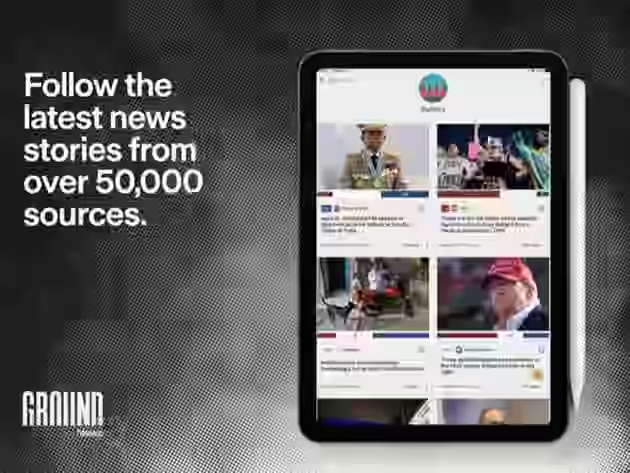
Platform: Android and iOS | Price: Free; Blind Spot feed from $9.99/month | Rating: 4.7/5 (App Store)
Ground News is the most genuinely innovative app on this list, and most competitor roundups don’t include it at all. That alone should tell you something.
Every story comes tagged with a bias label showing which political leaning covered it (left, centre, or right), how many outlets picked it up, and which perspectives you might be missing. The Blind Spot feature goes further: it actively surfaces stories that your habitual sources are ignoring. Think about that for a second. Most apps optimise for your preferences. Ground News deliberately challenges them.
It also includes fact-check labels from third-party checkers and ownership information for every news outlet it aggregates. In 2026, when media literacy has become a genuine public health issue, those features aren’t gimmicks. They’re infrastructure.
The subscription tier unlocks the full Blind Spot feed and deeper bias analytics. The free version gives you the bias labels and enough functionality to be genuinely useful on its own.
Best for: Anyone who’s grown cynical about media bias and wants tools to actively monitor and diversify their news diet.
Which App Matches Your Reading Style?
Not every app is right for every person. Here’s a quick guide based on how you actually use news:
You want zero setup and a smart daily feed: Start with Google News. It does the heavy lifting immediately.
You’re deep in the Apple ecosystem: Apple News, and consider News+ if you read magazines or premium publications regularly.
You commute or travel with a patchy signal: SmartNews is built for exactly this. Just go in knowing the ads have gotten more aggressive in 2026.
You distrust algorithmic news and want raw journalism: AP News or Reuters, ideally both. They complement each other well.
You’re a professional tracking a specific industry: Feedly with a curated RSS setup. Takes time to build but pays off long-term.
You’re worried about your own echo chamber: Install Ground News alongside whatever your primary app is. Run it as a bias check rather than a replacement.
You find news feeds visually boring: Flipboard. It won’t win any speed records but it’s genuinely enjoyable to browse.
You want BBC-depth international coverage: BBC News, with the awareness that the partial paywall introduced in late 2025 may affect your experience depending on what you read.
Final Thoughts
Here’s the honest truth: no single app on this list is perfect for everyone. The best approach for most readers in 2026 is a two-app setup. Pick one as your primary feed (Google News or Apple News if you’re on iOS), then add a secondary app that keeps you honest. AP News for raw facts. Ground News for bias awareness. Feedly, if you have niche interests that mainstream apps can’t serve.
The Reuters Institute found a clear trend toward news avoidance in 2024, with readers feeling overwhelmed and fatigued by the volume and tone of coverage. A good news app should make staying informed feel manageable, not exhausting. The apps on this list, when matched to the right reader, actually do that.
Pick one. Try it for a week. You’ll know pretty quickly whether it’s working for you.
Frequently Asked Questions
Google News and AP News are both excellent free options on iPhone. Apple News also has a solid free tier, though it leans toward premium sources. All three work well without spending anything.
AP News and Reuters are consistently rated as the most neutral by media analysis sources. Ground News adds transparency by labelling bias directly, making it useful alongside any primary app.
Google News works on both Android and iPhone and personalises faster. Apple News offers a more polished reading experience and stronger magazine content via News+. Your platform choice usually decides this.
AP News and BBC News are consistently the fastest for breaking alerts. CNN performs well specifically for US breaking news. Speed varies by story type and your alert settings.
SmartNews is the best for offline reading, caching articles automatically. AP News and Apple News also support offline access. Feedly Pro includes offline functionality as well.
Apple News is the most privacy-focused, processing personalisation entirely on-device. Google News uses your Google account data. Ground News and Feedly have clear privacy policies worth reading before committing.

- OpenAI Discovers Self-Replicating Prompt Injection - September 27, 2026
- AI Safety Monitors Are Being Tested: What AISI Found - September 25, 2026
- Top 10 Influencer Marketing Agencies in Delhi - September 24, 2026