
Still relying on your phone’s default inbox? It may be time to consider a better option. The best email apps for Android offer far more than simple message viewing. They streamline clutter, strengthen privacy, and make managing your inbox noticeably easier. From lightweight email clients that maintain smooth performance to secure options featuring military-grade encryption, we’ve analyzed some of the leading Android email apps so you can make an informed choice.
1. Gmail
Being a Google product, Gmail remains the top email app for Android. This app can be integrated seamlessly with every other service you’re probably already using on your phone.
The interface feels intuitive once you finish the initial setup. Swipe gestures let you archive or delete messages quickly, and the smart categorization actually works. Promotional emails, social updates, and important notifications get sorted automatically.
Search functionality and unified inbox are key features of Gmail. You can add multiple accounts, even non-Gmail ones, and manage everything from one place. Its offline support lets users read and draft messages even when their connection drops.
Similar read: What Is Spotify.Com/Pair
2. Microsoft Outlook
Microsoft Outlook isn’t just for corporate use anymore. This email app for Android has evolved into a platform with professional power tools with a consumer-friendly design.
Its focused inbox feature separates important messages from the other, less important messages. You’ll find your unified inbox handles multiple accounts smoothly, whether they’re Gmail, Yahoo, or Exchange. Calendar integration feels natural, not tacked on like some competitors.
What makes Outlook stand out as a top email app for Android is its file management. Attachments from OneDrive or Dropbox integrate seamlessly, and the search function finds old messages fast. It’s a business email app that doesn’t feel like punishment to use daily.
3. Spark Mail
Spark Mail email client for Android treats your messages like conversations. It groups related emails so you’re not constantly scrolling through fragmented threads. The app features a smart inbox that prioritizes personal emails, newsletters, and notifications, and gets them separated automatically. You can tweak these categories however you want. Snooze functions let you deal with messages later without forgetting.
Team collaboration features set Spark apart from typical free email apps for Android. You can discuss emails privately with colleagues, delegate messages, and even create shared drafts. It’s a lightweight email app that punches above its weight for productivity-focused users.
4. ProtonMail

ProtonMail is a secure email app for Android that encrypts everything end-to-end. This means, even ProtonMail’s own servers can’t read your messages. If you’re tired of facing privacy issues, this email app can help you.
The interface of the app is modern, which makes the app a security-focused tool. You’re not sacrificing usability for encryption here. Messages are sent and received smoothly, and the app handles attachments without limitations.
ProtonMail works great as a free email app for Android with enough storage limits. Premium plans come with custom domains and extra addresses. However, the basic version handles most people’s needs. It’s slower than Gmail for searching old messages.
Similar read: Join My Quiz.Com
5. BlueMail
BlueMail focuses on doing the basics exceptionally well while adding smart features that actually improve your workflow. This email app for Android supports practically every provider you can think of.
Its unified inbox is very useful. You can manage multiple accounts from different services, and the color-coding system helps distinguish between work, personal, and side projects at a glance. Customization options run deep if you enjoy tinkering.
What makes BlueMail a solid free email app for Android is its speed and reliability. Messages sync quickly, push notifications arrive on time, and the offline support means you’re never stuck waiting. It’s a lightweight email app that respects your phone’s resources without feeling stripped down.
6. K-9 Mail
This open-source email client for Android prioritizes function and gives users complete control without any privacy issues. K-9 handles multiple accounts, supports IMAP and POP3, and offers encryption through OpenPGP integration. Its power feature lets you change settings for how messages display and sync.
It’s completely free with zero ads. This is why it’s the ultimate lightweight email app for Android. Once configured, K-9 becomes an incredibly reliable app. If you value secure email and hate companies monetizing your inbox, this option delivers exactly what it promises.
7. Edison Mail
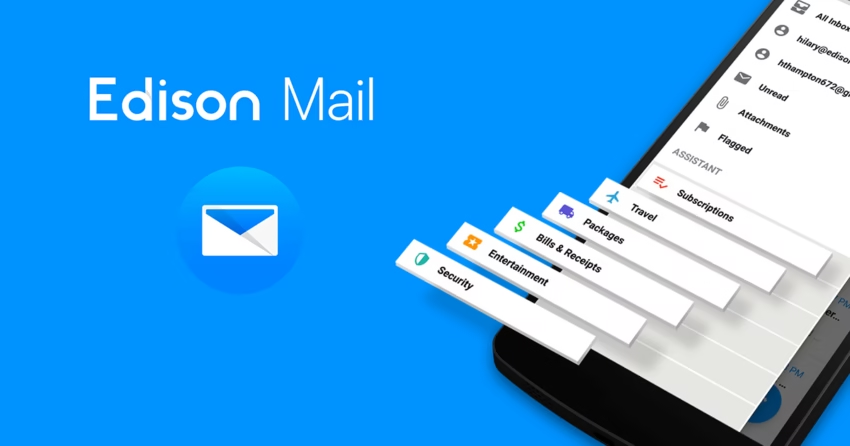
Edison Mail manages inbox overload with a smart assistant feature. This email app for Android automatically surfaces package tracking, travel itineraries, and bill reminders for you. It’s like having a personal assistant serving you inside your inbox.
Its unsubscribe feature works brilliantly. One tap removes you from newsletters you never read anyway, clearing out digital clutter faster than manually finding through footers. The unified inbox keeps multiple accounts organized while the assistant pulls actionable information to the surface.
Edison markets itself as a free email app for Android, though some premium features do exist. App’s interface feels polished and modern, responding quickly to swipes and taps. Privacy critics raise eyebrows about data practices, so read the fine print if that matters to you before committing.
8. Canary Mail
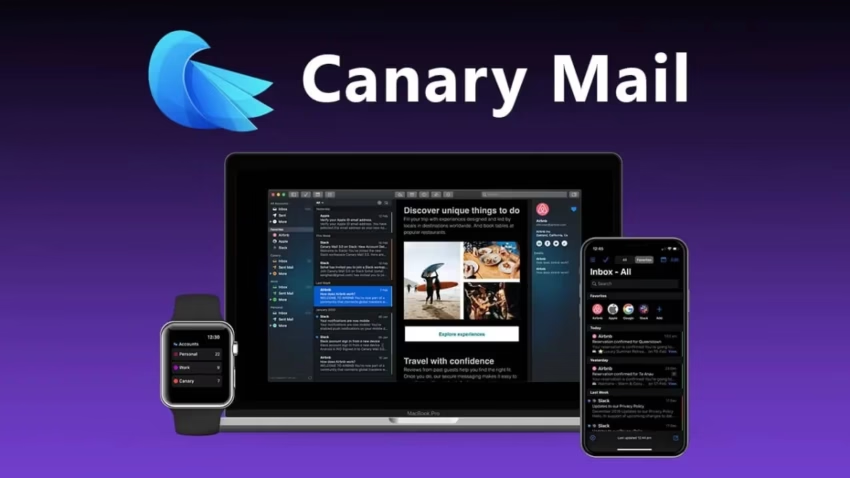
Spike Mail email app for Android strips away subject lines and signatures. The app presents conversations in chat bubbles that feel more natural than traditional thread views. Its conversational approach works surprisingly well for back-and-forth exchanges. You’re not constantly scrolling past email headers and footers to find the actual content. Groups function like messaging apps, making team collaboration feel less formal and more productive.
Spike includes video calls, collaborative notes, and calendar integration that make the app an email client with a full productivity suite. It handles multiple accounts smoothly while maintaining that chat-like interface.
Similar read: Who Owns Tiktok?
9. Zoho Mail

Zoho Mail delivers enterprise-grade email management features. This email app for Android provides robust functionality while maintaining an interface that remains intuitive and accessible for users. Zoho’s unified inbox excels at managing multiple accounts through intelligent stream organization that groups correspondence by sender. Push notifications maintain reliability, and calendar integration functions seamlessly whether you’re utilizing Zoho’s ecosystem or connecting external services for scheduling coordination.
10. Spike Mail
Spike Mail transforms traditional email into conversational messaging. The app presents exchanges through chat-style bubbles that streamline communication. This email app for Android eliminates redundant headers and signatures, creating a more efficient workflow for collaborative exchanges. The platform incorporates video conferencing, collaborative documentation, and calendar integration that turns it into a comprehensive business email app. It manages multiple accounts effectively while maintaining its streamlined interface, with complimentary and premium tiers available.
Similar read: What Is Ford Online Pay Stub
Conclusion:
Selecting the right email app for Android depends on your specific requirements and workflow preferences. Whether you prioritize security through encrypted email clients, need robust multiple account management, or prefer lightweight email apps that conserve system resources, the options available in 2025 offer substantial improvements over default solutions. Evaluate your priorities regarding privacy, productivity features, and interface design to identify the top email app that aligns with your communication needs and enhances daily efficiency.
Best Email Apps FAQs
Are free email apps for Android secure enough?
Most free email apps for Android provide adequate security for general use. However, if privacy is paramount, consider secure email apps like ProtonMail or K-9 Mail that offer end-to-end encryption and don't monetize your data through advertising or analytics tracking.
Which email app works best offline?
Gmail and BlueMail offer robust offline support, allowing you to read and compose messages without connectivity. K-9 Mail also excels in offline functionality, enabling full message access and draft creation that automatically syncs once your connection is restored.
Can I use multiple email accounts in one app?
Absolutely. Most modern email apps for Android support multiple accounts. Outlook, BlueMail, and Spark Mail feature excellent unified inbox capabilities that consolidate all your accounts into one streamlined interface for simplified management and improved productivity.
What's the most lightweight email app for Android?
K-9 Mail and BlueMail rank as the most lightweight email apps for Android, consuming minimal system resources and battery power. Both apps maintain quick performance even on older devices while delivering essential features without unnecessary bloat or resource-intensive animations.
Which email app is best for business use?
Microsoft Outlook and Zoho Mail lead as business email apps for Android. Both offer professional features including calendar integration, file sharing, custom domains, and collaboration tools. Zoho Mail particularly excels with ad-free operation and strong privacy protections for corporate communication.
Do Android email apps support all email providers?
Most email clients for Android support major providers through IMAP and POP3 protocols. Gmail, Outlook, BlueMail, and K-9 Mail work with virtually any email service including Gmail, Yahoo, Outlook, iCloud, and custom domain accounts without compatibility issues.
Are there email apps that don't track my data?
ProtonMail and K-9 Mail prioritize privacy by avoiding data collection entirely. These secure email apps for Android don't scan your messages for advertising, operate open-source code, and implement encryption to protect your communications from surveillance and commercial exploitation.
Which email app has the best search functionality?
Gmail offers superior search capabilities, leveraging Google's search technology to quickly locate messages using keywords, dates, attachments, and sender information. Outlook also provides strong search features with filtering options that help users efficiently navigate large inboxes with thousands of messages.
Can I customize notifications for different email accounts?
Yes, most top email apps for Android allow granular notification customization per account. BlueMail, K-9 Mail, and Outlook enable you to set unique sounds, vibration patterns, and notification priorities for each account, ensuring important messages receive immediate attention.

- 10 Best Email Apps for Android in 2025 - October 1, 2025
- Top 10 SEO Tools for Small Businesses in 2025 - June 14, 2025
- 10 Best Free Android Cleaner & Phone Optimizer Apps - May 21, 2025