Here’s a number that should stop you cold: according to the IBM Cost of a Data Breach Report 2024, the average cost of a data breach for small and mid-sized businesses now sits above $4.45 million globally. And that’s not even the scariest part. Most of those businesses never fully recover. About 60% of small companies that suffer a major cyberattack shut down within six months (National Cybersecurity Alliance, 2023).
So yeah, cybersecurity for SMBs in 2026 isn’t optional anymore. It stopped being optional a while ago, actually. But here’s the thing: most small business owners still think this is an enterprise problem. Something for the big banks and tech giants. Not them.
That belief is exactly what attackers are counting on.
This guide isn’t for CISOs with six-figure security budgets. It’s for the business owner juggling everything at once who just wants a clear, honest answer to: “What do I actually need to protect my business this year?”
Let’s get into it.
Why Small Businesses Are the Preferred Target Now?
You might assume hackers go after the biggest fish. More data, bigger payday, right? That was true ten years ago. But the game changed when ransomware-as-a-service became a real thing. Attackers now operate like subscription businesses. They license attack tools to other criminals, who then pick easy, low-resistance targets.
SMBs fit that description almost perfectly.
You hold customer payment data, employee records, and often sensitive client files. But you’re running without a dedicated IT security team. Maybe you have one person handling “tech stuff” on top of their actual job. Maybe it’s just you. That combination of valuable data plus weak defenses is genuinely irresistible to modern cybercriminals.
According to Verizon’s 2024 Data Breach Investigations Report, 46% of all cyberattacks target small businesses. And the majority of those attacks succeed not because of sophisticated zero-day exploits, but because of something embarrassingly basic: weak passwords, no multi-factor authentication, unpatched software.
That’s actually good news for you. Because those problems are fixable.
The Layered Defense Model Every SMB Needs in 2026
Think of cybersecurity the way you think about your physical office. You probably have a lock on the door. Maybe a security camera. You don’t let strangers wander into the server room. You don’t give every employee a key to the safe.
Digital security works the same way. You build layers. No single tool saves you, but when layers stack on top of each other, attackers hit wall after wall and usually give up.
Here’s how those layers break down for an SMB in 2026.
Layer 1: Endpoint Protection (Your Devices Are the Front Door)
Every laptop, phone, desktop, and tablet that connects to your business network is a potential entry point. Traditional antivirus used to be enough. It isn’t anymore.
What you need now is EDR, which stands for Endpoint Detection and Response. Think of it as an antivirus that doesn’t just block known threats but actively monitors device behavior and flags anything suspicious. If a file starts encrypting your documents at 2am (a classic sign of ransomware), EDR catches it and shuts it down.
For SMBs, solid EDR options in 2026 include:
- CrowdStrike Falcon Go – lightweight, cloud-managed, starts around $8.99/device/month
- Malwarebytes for Teams – intuitive dashboard, affordable for 5-25 users
- SentinelOne Singularity – excellent for growing businesses needing more advanced coverage
Don’t skip this layer thinking “we’re too small.” That’s not a defense strategy. That’s wishful thinking.
Layer 2: Identity and Access Management
Here’s a truth that most security guides dance around: stolen credentials cause more breaches than malware. According to Verizon’s DBIR 2024, over 80% of hacking-related breaches involve weak or compromised passwords.
The fix is two-part.
First, get a password manager deployed across your team. Not optional. Not “encourage them to use one.” Deploy it, enforce it, done. Good options for small teams include 1Password Business (around $7.99/user/month) and Bitwarden for Teams (significantly cheaper, open-source, excellent for budget-conscious businesses).
Second, enable multi-factor authentication (MFA) everywhere. Gmail. Your accounting software. Your CRM. Your bank portal. Every login that supports MFA should have it turned on. The Cybersecurity & Infrastructure Security Agency (CISA) reports that MFA blocks 99.9% of automated account attacks. That’s not a typo.
Also, apply the principle of least privilege: employees should only have access to what they actually need for their job. Your marketing person doesn’t need access to financial records. Your salesperson doesn’t need admin rights to your project management system. Clean this up. It limits damage dramatically if any single account gets compromised.
If your business runs on Microsoft 365, Microsoft Entra ID (formerly Azure AD) manages all of this in one place and integrates beautifully with the rest of your Microsoft environment.
Layer 3: Network Security
Your network is the highway everything travels on. If it’s unprotected, everything connected to it is at risk.
DNS filtering is a smart, low-cost starting point. Tools like Cisco Umbrella or Cloudflare Gateway block malicious websites before your browser ever loads them. Your employee clicks a phishing link? DNS filtering stops the connection before anything bad can happen. It’s almost invisible to users and incredibly effective.
Firewalls matter too, but make sure yours is actually configured. A default-settings firewall on a small business router is barely better than nothing. If you’re not sure, pay a local IT consultant for a one-time audit. Worth every penny.
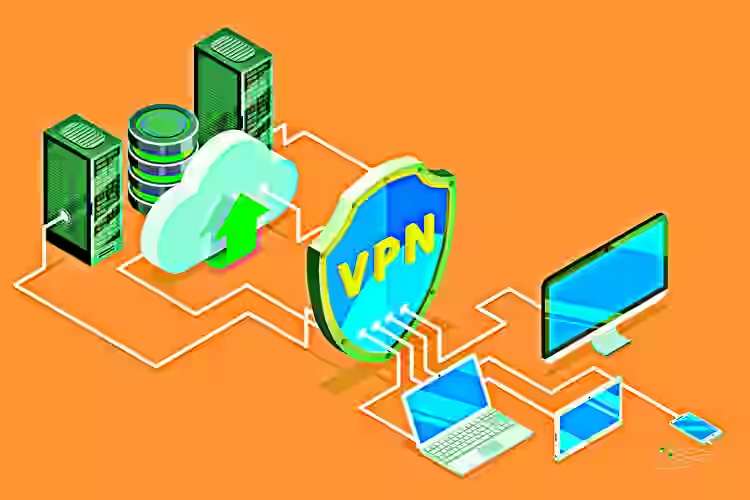
One more thing on networks: if your team works remotely or uses public WiFi regularly, a business VPN is non-negotiable. Consumer VPNs like NordVPN aren’t built for business use. Look at NordLayer or Perimeter 81 for team-grade options.
Layer 4: Email Security
Email is, and has been for years, the number one attack vector for businesses. Around 91% of cyberattacks begin with a phishing email (Deloitte Cyber Intelligence, 2023). Your email inbox is the most dangerous place in your business.
Google Workspace and Microsoft 365 both include built-in spam filters. They’re decent. Not sufficient.
What you want to add on top:
DMARC, DKIM, and SPF records are technical email authentication settings that prevent criminals from sending emails that look like they came from your domain. Your IT person or web host can configure these, and it takes about an hour. Without them, anyone can impersonate your business in an email. With them, they can’t.
For additional protection, Proofpoint Essentials and Mimecast both offer SMB-focused email security that catches sophisticated phishing attacks that slip past default filters. Pricing starts around $4-5/user/month.
Layer 5: Data Backup and Recovery
Assume something will eventually go wrong. Not because you’re negligent, but because no defense is 100%. Ransomware, accidental deletion, and hardware failure all of these destroy data. Your backup strategy is what decides whether that’s a catastrophe or a Tuesday afternoon inconvenience.
The gold standard is the 3-2-1 backup rule: keep 3 copies of your data, on 2 different types of storage, with 1 copy stored offsite (usually cloud). For most SMBs, this means local backup plus a cloud backup solution like Backblaze Business Backup (very affordable, starting around $7/month per computer) or Acronis Cyber Backup for more robust options.
Test your backups. Seriously. An untested backup is just hope wearing a hard drive.
Budget Tiers: What to Spend Based on Your Team Size
Let’s talk money, because this all sounds expensive, and it doesn’t have to be.
Starter Stack (Under $1,000/year)
This is the absolute minimum viable security setup. If you’re doing none of this, start here immediately.
Enable MFA on every account that supports it (free). Deploy a password manager across your team (Bitwarden Teams is around $3/user/month). Configure SPF, DKIM, and DMARC on your email domain (one-time setup, often free with your host). Set all devices to auto-update operating systems and applications. Set up basic cloud backup with Backblaze.
This takes maybe a weekend to implement. It blocks the vast majority of common attacks.
Mid-Range Protection ($1,000 to $5,000/year)
Add EDR software across all business devices. Add DNS filtering through Cloudflare Gateway (free tier available). Add a dedicated email security layer like Proofpoint Essentials. Set up a business VPN for remote workers. Run one round of phishing simulation training with your staff using a tool like KnowBe4 (which has SMB-friendly pricing).
This is the sweet spot for most SMBs with 10-50 employees.
Advanced Setup ($5,000+/year)
At this level, you’re looking at a SIEM (Security Information and Event Management) tool, which aggregates and analyzes security events across your network. Something like Microsoft Sentinel or Devo for SMBs. You’re also considering a Managed Detection and Response (MDR) service if you have zero internal IT, which essentially outsources your threat monitoring to a specialist firm. Arctic Wolf and Huntress are both well-regarded MDR providers built specifically for small businesses.
The Human Problem No Tool Can Fix Alone
Here’s the uncomfortable truth: your team is your biggest vulnerability. Not because they’re careless, but because attackers are specifically targeting human psychology.
A 2023 Stanford University and Tessian research study found that 88% of data breach incidents were caused by employee mistakes. Not malware. Not zero-day exploits. People clicking things they shouldn’t have clicked.
Annual security training doesn’t work. You do it in January, your team checks the box, and by March, everyone’s forgotten it. What actually works is short, regular reinforcement. Think 5-minute monthly micro-trainings. Simulated phishing tests (where you send fake phishing emails to your own team to see who clicks). A culture where employees feel safe saying “hey, something felt off about that email” without worrying they’ll get in trouble for asking.
Platforms like KnowBe4 and Proofpoint Security Awareness Training make this easy to run even without a dedicated IT department. They automate the simulated phishing, track results, and provide short training modules your team can actually finish during a lunch break.
New Threats in 2026 You Weren’t Worried About Last Year
The cybersecurity landscape moves fast. A few things that have escalated significantly heading into 2026:
AI-Generated Phishing Is Disturbingly Good Now
The old phishing emails were easy to spot. Bad grammar. Weird email addresses. Urgent pleas from Nigerian princes. Those still exist, but now attackers use AI to generate eerily convincing phishing emails that match writing style, use correct grammar, and reference real context (like your company name or your colleague’s actual name pulled from LinkedIn).
Google’s Threat Intelligence Group flagged a significant rise in AI-assisted spear-phishing campaigns targeting SMBs in 2024. What this means practically: you can’t rely on “just look for typos” as your phishing detection strategy anymore. Train your team to verify requests through a second channel (call the person, don’t reply to the email).
Deepfake Voice Fraud Is Hitting Finance Teams
Business Email Compromise evolved. Now attackers clone voice using AI audio tools and call your finance team pretending to be the CEO or CFO, authorizing an urgent wire transfer. This is called vishing (voice phishing), and it’s working.
The defense is simple: any financial transaction above a set threshold requires verbal confirmation through a known, pre-established phone number. Make this a written policy. Don’t improvise it.
Faster Exploitation of Unpatched Software
Attackers now use AI to scan for unpatched vulnerabilities across thousands of businesses simultaneously. The time between a vulnerability being discovered and it being actively exploited has shrunk from weeks to sometimes hours (according to Rapid7’s 2024 Vulnerability Intelligence Report). Patch management used to be something you could do monthly. In 2026, critical patches should go out within 24-48 hours of release.
Your 30-Day Cybersecurity Implementation Plan
Don’t try to do everything at once. Here’s a realistic sequence.
Week 1: Audit every account across your business. Enable MFA on everything that supports it. Have your team install a password manager and start migrating passwords.
Week 2: Install EDR software on all company devices. Set up DNS filtering. Configure automatic OS updates on all machines.
Week 3: Configure DMARC, DKIM, and SPF on your email domain. Set up your cloud backup solution and run a test restore to confirm it works.
Week 4: Run a short security briefing with your team. Clarify what phishing looks like in 2026. Set the policy on financial transfer verification. Schedule your first phishing simulation for the following month.
Thirty days. Meaningfully more secure than when you started.
Compliance: What SMBs Are Legally Required to Have
Depending on your industry, you may have legal obligations around cybersecurity that go beyond best practice. This isn’t legal advice, but it’s important context.
If you handle credit card payments, PCI-DSS compliance is mandatory. If you’re in healthcare or work with healthcare data, HIPAA applies. If you have customers in the EU, GDPR affects how you store and protect personal data. If you’re based in California, CCPA has its own requirements.
The NIST Cybersecurity Framework is a voluntary but widely respected standard that maps well to SMB needs. Many industries reference it when evaluating vendors or partners. Even if it’s not legally required for you, aligning with NIST’s five core functions (Identify, Protect, Detect, Respond, Recover) is solid strategic thinking.
Talk to a compliance consultant if you’re unsure what applies to your business. The fines for non-compliance often dwarf the cost of getting it right upfront.
One Last Thing Before You Close This Tab
Cybersecurity for SMBs in 2026 isn’t about perfection. No one expects you to build a Fort Knox. What the research consistently shows is that most attacks succeed against easy targets, and most SMBs are easy targets, not because of complexity but because of inaction.
Fix the basics. MFA. Password manager. Endpoint protection. Email authentication. Backups you’ve actually tested. Train your people. Repeat.
You don’t have to be impossible to attack. You just have to be harder to attack than the business down the street. Start with one thing on this list today.
FAQs
If you can only do one thing, enable multi-factor authentication on every account. The Cybersecurity & Infrastructure Security Agency confirms MFA blocks roughly 99.9% of automated credential attacks. It’s free on most platforms, takes minutes to set up, and immediately makes your accounts dramatically harder to compromise.
Most cybersecurity experts recommend SMBs allocate between 6% and 14% of their IT budget to security. For a business with 10 to 50 employees, a practical and effective security stack can run anywhere from $1,000 to $5,000 annually, covering endpoint protection, password management, email security, DNS filtering, and cloud backups.
Traditional antivirus matches files against a known list of threats and blocks them. EDR (Endpoint Detection and Response) goes further by monitoring device behavior in real time. If something unusual starts happening, such as files being encrypted rapidly, EDR detects and responds to it, even if the threat is brand new and not yet in any database.
Common warning signs include unusual account activity, unexpected password reset emails, employees reporting login failures, sluggish device performance, unfamiliar software appearing, or strange outbound network traffic. Deploy monitoring tools and enable login alerts across your accounts so you’re notified of suspicious activity before it escalates.
Yes. Physical backups can be destroyed in the same incident that destroys your primary data, whether that’s ransomware, a fire, or theft. The 3-2-1 backup rule (3 copies, 2 storage types, 1 offsite) exists for exactly this reason. Cloud backup is affordable, automatic, and gives you genuine recovery options when local options fail.

- Ultimate Guide to Fintech Tools for Businesses 2026 - April 3, 2026
- Complete Cybersecurity Toolkit for SMBs in 2026 - March 31, 2026
- Best Password Managers for Personal and Business Use2026 - March 30, 2026