Best AI Tools for Tech Professionals- The Complete Guide
Posted on April 10, 2026
A senior backend engineer was staring at a 3,000-line codebase she hadn’t touched in eight months, hunting down a memory leak before the morning stand-up. She skipped the Slack message to her team lead. She skipped the two-hour Confluence rabbit hole. She opened her AI coding assistant, described the problem in plain English, and had the root cause flagged in under four minutes.
That’s not a demo. That’s a Tuesday in 2026.
The numbers confirm what most tech professionals are already experiencing. According to a 2026 survey by The Pragmatic Engineer covering nearly 1,000 software engineers, 95% of respondents now use AI tools at least weekly, and 56% report doing more than 70% of their engineering work with AI assistance. Meanwhile, AI coding assistants alone now account for roughly 41% of all code written globally, according to data compiled by NetCorp Software Development.
So the question isn’t really “should tech professionals use AI tools?” The real question is which tools are worth integrating into daily workflows, and which ones are just impressive in demos but frustrating in practice. This guide answers that question honestly, category by category.
Claude Code has had one of the more remarkable entries in the AI tools space. According to The Pragmatic Engineer’s 2026 survey, it jumped from just 4% of developer usage in May 2025 to 63% by February 2026, making it the most widely used coding tool among professional developers in under eight months. Among small businesses, that number climbs to 75%.
Claude Code doesn’t just autocomplete. It reasons through problems. You can hand it a failing test, describe what the function is supposed to do, and it will trace through the logic to identify where the implementation diverges from the intention. That’s different from a tool that pattern-matches to the most probable next token.
Its terminal-native interface is also an important thing that makes it unbeatable. Rather than embedding inside an editor, Claude Code operates in the command line, which means it works regardless of which IDE your team uses. It reads your repo, understands the context across files, and can plan multi-step changes rather than handling one function at a time.
Best for: Senior engineers, complex multi-file refactoring, teams that want reasoning over autocomplete. Pricing: Available via Anthropic API; usage-based pricing.
GitHub Copilot is the tool most enterprise developers encounter first, largely because Microsoft’s enterprise procurement relationships mean it’s frequently the company-approved default. That said, calling it just a corporate default undersells what it’s become in 2026.
Copilot now operates with full repository awareness rather than just the file you have open. In practical terms, that means it can suggest a refactor spanning three separate files, write unit tests that match your existing test structure rather than generic boilerplate, and explain legacy functions in plain language. The Copilot Chat feature, embedded in the editor sidebar, handles natural language questions about your codebase without requiring you to switch context to a browser.
According to GitHub’s own data, roughly 30% of Copilot’s suggested code gets accepted by developers, which sounds low until you consider how much that still accelerates writing speed. Developers using Copilot daily report saving an average of 3.6 hours per week, according to analysis across 135,000+ developers by DX Research. That compounds quickly across a team.
Best for: Enterprise teams, VS Code and JetBrains users, developers who want tight editor integration. Pricing: $10/month individual; $19/month business.
Cursor is built from the ground up as an AI-native IDE, not an IDE with AI bolted on. That architectural difference shows up most clearly in what it’s best at: understanding unfamiliar codebases.
When you open a project in Cursor, you can ask questions about the entire repository in natural language. “What does the authentication flow look like from API call to database write?” produces a traced answer following the actual code path across files and modules. “Where does this variable get mutated?” surfaces every location without requiring manual search. For engineers onboarding to a new project or returning to a codebase after months away, this navigational intelligence cuts a significant amount of the frustrating orientation time.
Cursor’s Composer mode allows you to describe a feature at a high level and have it generate the implementation across multiple files simultaneously. The output requires review, but the scaffolding it produces follows the patterns already present in your codebase rather than defaulting to generic structure. Teams using it for greenfield feature work generally report faster time from specification to first working draft.
Best for: Engineers working with unfamiliar codebases, onboarding workflows, and feature scaffolding. Pricing: Free tier available; Pro at $20/month.
Tabnine’s core differentiator in 2026 is data privacy, and for a specific category of organization, that’s the most important feature on any list. While Claude Code, Copilot, and Cursor all process code through external servers, Tabnine offers a fully on-premise deployment where the AI model runs within your own infrastructure. No code leaves the building. No queries touch a third-party API.
Beyond the privacy architecture, Tabnine integrates with virtually every major IDE, including VS Code, JetBrains, Eclipse, and Vim. It learns team-specific coding patterns over time, which means the suggestions become more relevant to your actual codebase the longer you use it. The quality ceiling is lower than Claude Code or Cursor for complex reasoning tasks, but for autocomplete, boilerplate generation, and repetitive pattern work, it handles the job reliably.
Best for: Regulated industries, privacy-sensitive environments, and teams with strict data governance requirements. Pricing: Free tier; Pro at $12/month; Enterprise pricing on request.
Infrastructure-as-code has always had a steep entry curve. The syntax is precise, the documentation is dense, and one misplaced bracket in a Terraform file can mean a 30-minute debugging session before you’ve even provisioned anything. Pulumi AI directly addresses that friction.
You describe your infrastructure requirements in plain language, and Pulumi AI generates the IaC in your choice of TypeScript, Python, Go, or Java. The output isn’t always perfect on the first pass, but it consistently produces a coherent first draft in minutes rather than hours. For engineers who work regularly with AWS, GCP, or Azure, the time savings compound across every new project or environment configuration. It integrates naturally with the broader DevOps workflow covered in our roundup of top DevOps tools every engineer must learn.
Best for: Cloud engineers, platform teams, and anyone who writes IaC regularly across multiple providers. Pricing: Free tier available; Team plan at $50/month.
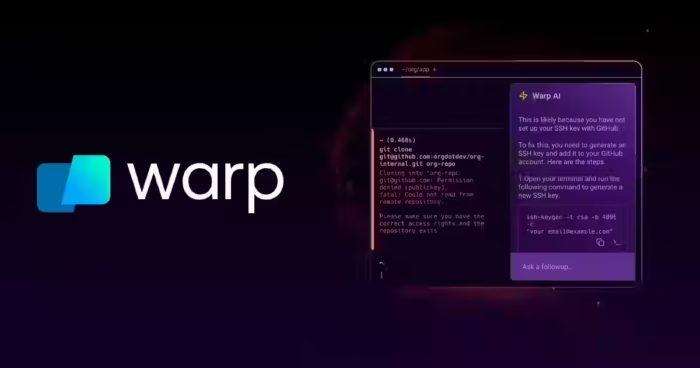
Calling Warp a terminal technically describes it accurately but misses the point. It’s an AI-native command-line interface that changes how developers interact with the terminal rather than just adding a chatbox to an existing shell.
The practical features that matter most: Warp remembers your command history and can surface relevant past commands based on what you’re currently working on. Before you run a command, it explains what it will do in plain English. When you’re in the middle of a multi-step workflow, it suggests what comes next. For anyone who has ever typed a curl command from muscle memory and realized mid-execution that the flags were wrong, that pre-execution explanation catches those errors before they become problems.
Best for: Developers and DevOps engineers who live in the terminal, and anyone who frequently writes complex shell commands. Pricing: Free for individuals; Team plan at $22/month.
Dynatrace’s Davis AI operates in the observability space, and it fundamentally changes what monitoring means in a production environment. Standard monitoring tools tell you when something breaks. Davis tells you why it broke, predicts what else might break based on current system behavior, and surfaces what changed in the last 24 hours that could be causally related.
That causal reasoning is the key distinction. When you’re managing a microservices architecture with dozens of interdependent services, correlating telemetry across the system to find the root cause of an incident is genuinely hard. Davis automates that correlation, which means the time between “something is wrong” and “here’s what caused it” compresses from hours to minutes in most cases.
Best for: Platform engineers, SREs, teams managing microservice architectures in production. Pricing: Usage-based; contact Dynatrace for enterprise pricing.
AI Security Tools for Tech Professionals
The security space has a complicated relationship with AI in 2026. AI is making attacks faster, more targeted, and harder to distinguish from legitimate behavior. At the same time, it’s giving defenders capabilities that would have required much larger teams to replicate manually just a few years ago. For a detailed look at the offensive side of this equation, our breakdown on how to defend AI-powered cyberattacks covers the current threat landscape in depth.
CrowdStrike Falcon is the industry standard for endpoint detection and response, and its AI layer has matured significantly. Rather than relying primarily on signature matching, which can only identify known threats, Falcon watches process behavior across your endpoints and builds a behavioral baseline for each system. When a process deviates from that baseline in ways that match attack patterns, even novel ones without known signatures, it flags the behavior.
That distinction matters enormously for zero-day exploits and novel attack vectors, which are precisely the threats that signature-based tools miss. Behavioral AI catches what pattern matching can’t. Falcon’s threat graph correlates telemetry across all endpoints in your environment, which means it can identify a distributed attack pattern even when each individual endpoint shows only a fragment of the activity.
Best for: Enterprise security teams, organizations with compliance requirements, and environments where endpoint visibility is critical. Pricing: Multiple tiers; contact CrowdStrike for pricing.
Snyk takes a different approach to security: instead of focusing on threats after deployment, it integrates security scanning into the development process itself. The core premise is that a vulnerability found during development costs a fraction of what the same vulnerability costs to remediate after it reaches production.
In practice, Snyk scans your dependencies in real time as you code, flags known vulnerabilities as they’re introduced, and crucially, suggests the specific fix rather than just reporting the problem. The difference between “this library version has a critical CVE” and “replace version 3.1.2 with 3.2.0, here’s the updated package.json line” is enormous for a developer trying to stay in flow. Snyk handles both the detection and the remediation path.
Best for: Development teams wanting security integrated into the build process, organizations adopting DevSecOps practices. Pricing: Free tier available; Team at $25/month per contributor.
Darktrace operates at the network level, using AI to build an understanding of what “normal” looks like in your environment and then detecting deviations that could indicate compromise. Its Antigena module takes this a step further: it can autonomously respond to detected threats by isolating compromised devices, blocking unusual traffic patterns, or slowing suspicious data transfers, without requiring human approval for each action.
For smaller security teams managing large environments, that autonomous response capability is material. The gap between when a threat is detected and when a human can respond is when damage happens. Darktrace closes that gap. The autonomous actions are configurable and reversible, which addresses the obvious concern that false positives could disrupt legitimate traffic.
Best for: Network security, organizations with small security teams, environments requiring rapid automated threat response. Pricing: Contact Darktrace for pricing; typically enterprise-tier.
AI Documentation and Writing Tools for Technical Teams
Documentation is the perennial loser in the priority battle. “Ship the feature, document it later” is a pattern so common it’s become a cliché because it reflects a real constraint: documentation time competes directly with feature time, and features have advocates while documentation rarely does. These tools change that equation.
Mintlify is built specifically for technical documentation, and the domain specificity shows in the output quality. You point it at your codebase, it reads your functions and type signatures, and it drafts docstrings, README sections, and API reference pages that reflect your actual implementation rather than generating generic placeholder descriptions.
The difference between Mintlify’s output and general-purpose AI-generated documentation is specificity. A general AI tool will produce documentation that sounds plausible but lacks the precise details about parameter types, return values, edge cases, and side effects that make technical documentation actually useful. Mintlify produces those details because it reads the code rather than inferring from a description.
Best for: API-first teams, developer tools companies, any organization where documentation quality directly affects developer experience. Pricing: Free tier; Pro at $150/month per team.
Notion AI in 2026 has gotten meaningfully better at synthesizing the kind of mixed content that technical teams produce: meeting notes, technical specs alongside project requirements, and engineering RFCs. It can pull these together into coherent summaries that reduce the “can you catch me up?” messages that fragment everyone’s attention across async-first teams.
For engineering managers specifically, the ability to drop a week’s worth of Slack threads and meeting transcripts into a Notion page and get a structured summary of decisions made, open questions, and action items is genuinely useful. It’s not replacing thinking, but it is replacing the manual work of synthesizing information that’s already been produced.
A quick note on where it falls short: Notion AI is much better at summarizing and organizing existing content than at generating original technical content from scratch. For documentation generation, Mintlify is the more appropriate tool. For knowledge management and synthesis, Notion AI is strong.
Best for: Engineering managers, product teams, organizations with heavy async communication workflows. Pricing: Available as an add-on at $8/month per member on Notion plans.
AI Research Tools
<br> The field moves fast enough in 2026 that “staying current” is a real technical challenge, not a vague professional development aspiration. A senior ML engineer described it recently as “trying to drink from a fire hose while also being expected to ship.” These tools help manage that flow.
Perplexity Pro has become the preferred research tool for a lot of tech professionals because it cites its sources inline rather than synthesizing without attribution. When you’re evaluating whether a new framework is production-ready or trying to understand how a cloud provider’s latest pricing model actually works, being able to verify the source of each claim matters. A hallucinated answer that sounds confident is worse than no answer.
The technical query handling has improved significantly. Questions about specific APIs, infrastructure patterns, database tradeoffs, and framework comparisons produce answers that are accurate enough to be a useful starting point rather than a direction-setting error. The Pro tier adds document upload, which lets you interrogate specific PDFs or technical docs without having to read them linearly.
Best for: Technical research, framework evaluation, and any workflow requiring current information with verifiable sources. Pricing: Pro at $20/month.
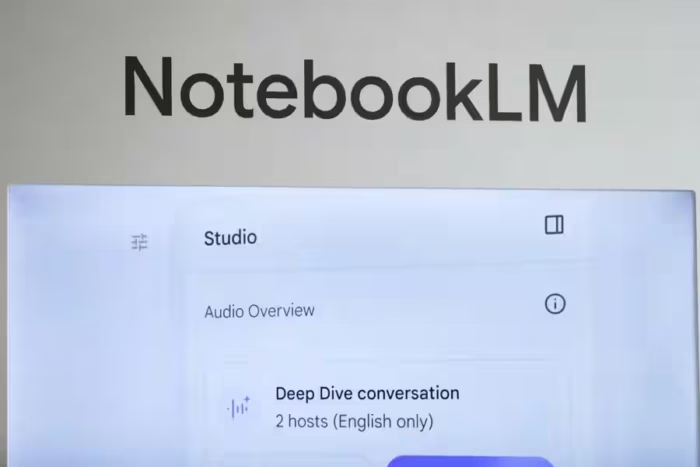
Google’s NotebookLM (significantly upgraded since its 2024 release) lets you upload your own documents, codebases, meeting transcripts, or research papers and then have a grounded conversation with that specific material. The key design constraint is that it only draws from your uploaded sources. That constraint, which sounds limiting, is actually the feature. It means no hallucinations about things outside your documents, and every answer is traceable to a specific source you provided.
This makes it particularly useful in a few specific scenarios: onboarding to a new codebase where you have existing documentation, synthesizing internal company documents alongside external references, or analyzing a set of research papers on a specific topic without reading each one cover to cover.
Best for: Research synthesis, technical onboarding, and synthesizing large document sets. Pricing: Free; NotebookLM Plus at $19.99/month.
Weights & Biases remains the standard for ML experiment tracking, and the reason is simple: running experiments without tracking them is building on sand. W&B logs your hyperparameters, metrics, and model artifacts, visualizes training runs in real time, and makes side-by-side comparison of experiments straightforward enough that you’ll actually do it rather than relying on memory and notes.
The practical value shows up most clearly when something unexpected happens in training. With W&B, you can trace back exactly what configuration produced a given result, compare it against runs that performed differently, and identify which variable changed. Without experiment tracking, that kind of debugging is essentially archaeology. For a deeper grounding in the concepts that make ML tooling necessary, our explainer on deep learning vs machine learning covers the foundational distinctions clearly.
Best for: ML engineers, data scientists, and any team training models that need reproducible results. Pricing: Free tier; Team at $50/month per user.
Hugging Face has evolved from a model repository into a full platform for the ML development lifecycle. The Inference API makes it possible to run model inference without managing any infrastructure. AutoTrain handles fine-tuning workflows without requiring custom training scripts. Spaces lets you deploy interactive demos in hours rather than days. For a tech professional who needs to prototype something ML-powered quickly, this stack is frequently the fastest path from idea to working demo.
The model hub itself deserves mention: with over 500,000 models available as of early 2026, covering text, vision, audio, and multimodal applications, the answer to “does a pre-trained model exist for this task?” is almost always yes. The question becomes which one, and Hugging Face’s model cards and community evaluations provide enough signal to make that choice without running your own benchmark from scratch.
Best for: ML practitioners, data scientists, and engineers prototyping AI-powered features. Pricing: Free tier; Pro at $9/month; Enterprise pricing on request.
Linear with AI features enabled has become the preferred project management tool among engineering teams that find Jira too heavy and Trello too light. The AI assists with writing issue descriptions, breaking epics into subtasks, and suggesting priorities based on patterns in your existing workflow. More importantly, it’s fast. The interface doesn’t fight you, which matters more than it sounds when you’re triaging issues at the end of a long day. For a comparison of the broader project management landscape, our Notion vs Trello guide covers the lighter-weight options worth knowing.
Best for: Engineering teams of 5-100 people, organizations that want fast project tooling without enterprise complexity. Pricing: Free tier; Pro at $8/month per member.
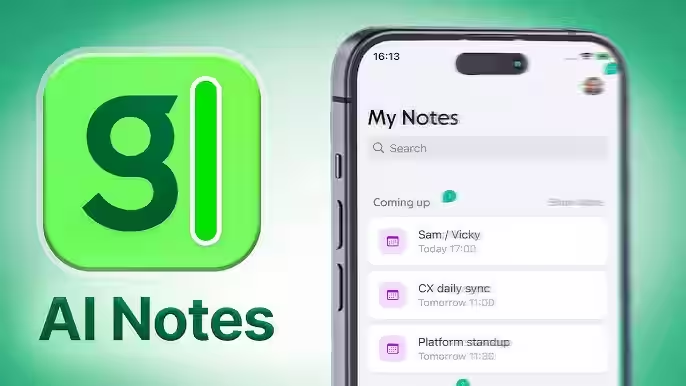
Granola is a meeting note tool that takes a hybrid approach: you capture the highlights yourself in real time, and it fills in the supporting detail afterward using the audio from the meeting. The result combines your own observations with AI-generated context rather than replacing your notes entirely with an automated transcript.
For tech professionals who find fully automated transcription tools too passive or too verbose, Granola’s output is typically more useful because it’s structured around what you actually paid attention to. The tool runs locally, which addresses the data privacy concern that comes with any tool processing meeting audio.
Best for: Engineers and managers who take notes manually but want AI to fill the gaps. Pricing: Free tier; Pro at $18/month.
Sumant Singh is a seasoned content creator with 12+ years of industry experience, specializing in multi-niche writing across technology, business, and digital trends. He transforms complex topics into engaging, reader-friendly content that actually helps people solve real problems.
We use cookies to ensure that we give you the best experience on our website. If you continue to use this site we will assume that you are happy with it.