You hear something playing in a coffee shop. It’s good. You have no idea what it is. By the time you pull out your phone and open an app, the song is already fading. Sound familiar?
Most people land on Shazam and stop there. Which is fine, most of the time. But Shazam fails when you’re trying to identify a tune stuck in your head, or a song you downloaded years ago and forgot to label, or an obscure track from a foreign film. That’s where the rest of these tools come in.
Below are 10 song finder apps and tools, each one suited to a different situation. Read through and pick what fits your problem.
1. Shazam

If a song is literally playing right now and you need its name in the next five seconds, Shazam is the answer. Hold your phone near the speaker, tap the button, done.
With over 2 billion installs and 300 million active users, it’s the most widely used music recognition tool in the world. The database covers over 1 billion songs. It works offline too , if you lose signal mid-identification, it saves what it heard and matches it once you’re back online.
There’s a feature called Auto Shazam where you press and hold the logo and it continuously identifies songs in the background, even when you’re using other apps. Useful at parties or when watching TV.
One thing Shazam cannot do: identify a song from humming. It needs actual audio to work. If the melody is only in your head, skip to tools 2 or 3.
Apple bought Shazam in 2018, and it’s been free with no ads on both iOS and Android since then. On iPhones running iOS 14 or later, it’s built into the Control Center.
Platform: Mobile (iOS + Android) + web | Free: Yes
2. SoundHound

SoundHound does what Shazam cannot. You can hum directly into the app, and it will match your melody to a real song. You can also search by lyrics, even just one verse or a chorus fragment.
The orange button is the main interface. Tap it, hum for 10–15 seconds, and it returns a match. It also has a voice command feature (“Hey SoundHound…”) for hands-free control, and an Apple Watch app for when your phone is in your pocket.
For playback, linking Spotify or Apple Music Premium gives you the full track. Otherwise, you get YouTube and 30-second previews. The free version has ads; SoundHound Infinite removes them and unlocks offline lyrics and unlimited searches.
Over 300 million downloads. Works for the same real-time identification as Shazam, but hum recognition is its real edge.
Platform: Mobile (iOS + Android) + web | Free: Yes (with ads)
3. Google Hum to Search
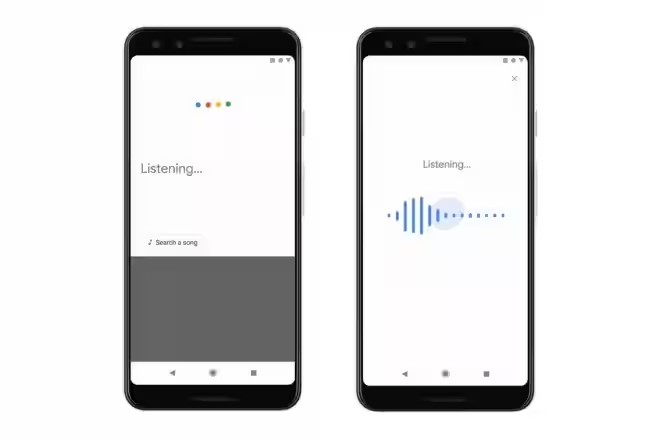
If you have the Google app on your phone, you already have this. Tap the mic icon in search, say “what’s this song?” or tap “Search a song,” then hum for 10–15 seconds. Google does the rest.
The technology is interesting. Google trained machine learning models to convert hummed audio into melody embeddings, basically a fingerprint of the tune, and then match those against over half a million songs, without needing to convert the hum to MIDI first. The result is that it works even if your pitch is off.
It’s available in English on iOS and in more than 20 languages on Android. Once it finds a match, it shows lyrics, music videos, and streaming links.
The limitation is that it only works on mobile. There’s no desktop web version for humming. And it works best with mainstream songs.
Platform: Mobile only (Google app) | Free: Yes
4. Midomi

Midomi has been around since 2006 and is now part of the SoundHound ecosystem. It’s one of the few tools that lets you hum directly into a desktop browser.
You go to midomi.com, click the microphone, hum or sing, and it searches a database of over 15 million songs. No app install required. Just your browser and a mic.
It’s the clearest option for someone sitting at a computer with a tune stuck in their head. It won’t always catch obscure tracks, but for mainstream songs where you remember the chorus, it works well.
Midomi also has a community side where users can share voice recordings and discover music socially, though most people ignore that and just use it for identification.
Platform: Web (desktop-friendly) | Free: Yes
5. AHA Music
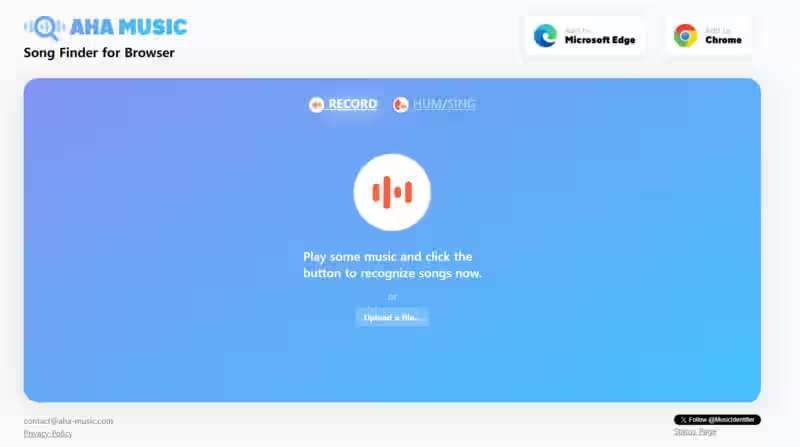
This one solves a specific problem: you’re watching a YouTube video or scrolling a website and something plays in the background. You want to know what it is without turning on your mic.
AHA Music has a browser extension that identifies any audio currently playing in your active tab. No microphone needed. It catches music that Shazam would miss because Shazam needs external sound it can physically hear.
Beyond the extension, the website also has a mic-based recognizer, a hum mode (hum, whistle, or sing), and a file upload option. It supports MP3, WAV, FLAC, MP4, M4A, OGG, and can identify songs from clips as short as 5 seconds.
There’s also an AI music detector; upload any audio, and it checks whether the track was AI-generated. That’s a new feature not many tools offer yet.
Everything is free. No subscriptions or usage limits.
Platform: Web browser + Chrome/Edge extension | Free: Yes
6. ACRCloud
Most people have never heard of ACRCloud, but they’ve used its technology. Musixmatch, Genius, Deezer, Huawei Music, and Anghami all run on ACRCloud’s audio recognition engine. The database covers over 150 million tracks.
For consumers, ACRCloud has a web interface where you can upload an audio or video file (MP3, WAV, MP4, AVI, FLV, and more) up to 100MB, and it identifies the song within seconds. It analyzes the first 60 seconds of audio.
It also handles covers and remixes better than lyric-based tools, because it matches by audio fingerprint, not by text.
The interface is more technical and less polished than Shazam or SoundHound. It’s built primarily for developers and businesses, but the free consumer-facing page works just fine for anyone with a file to identify.
Platform: Web | Free: Yes (consumer use)
7. Musixmatch
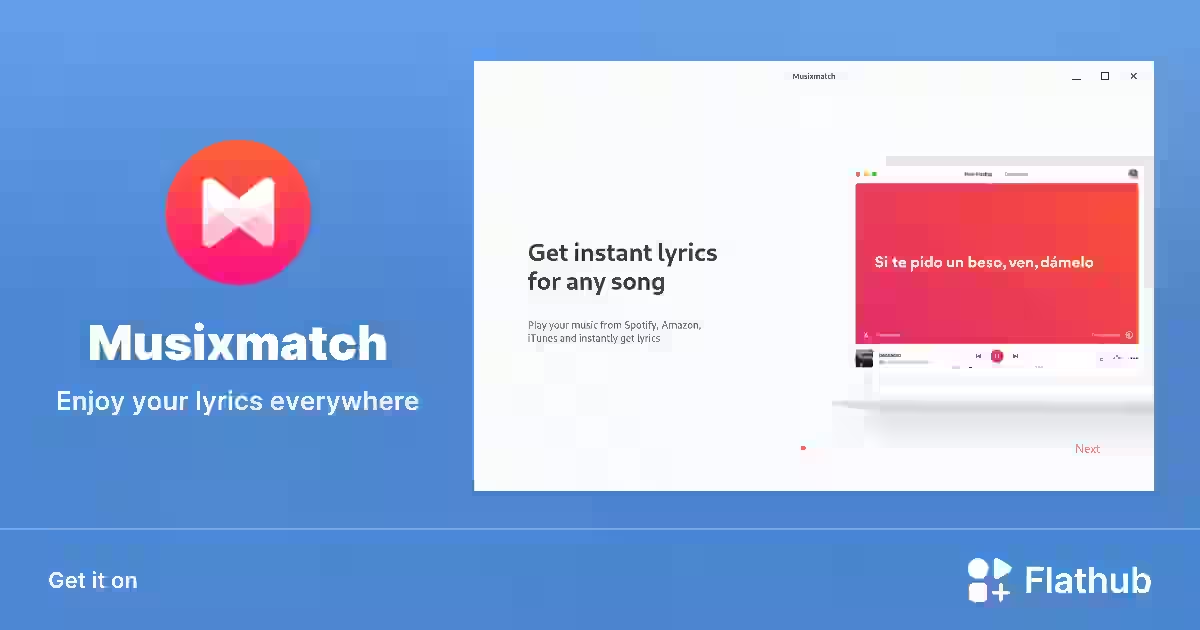
Musixmatch is built around lyrics. It identifies songs, yes, but its real value is what comes after: synchronized lyrics that scroll in real time as the song plays, translations in dozens of languages, and a community that contributes and corrects lyrics across the world.
When it identifies a song, it returns the title, artist, album, release date, songwriting credits, a YouTube video, and a 30-second Apple Music preview. More metadata than most tools.
It’s available on Android, iOS, Windows, Mac, and watchOS. The recognition engine is powered by ACRCloud on the backend.
If you just want a song name quickly, Shazam is faster. Musixmatch is for people who want to sing along, translate lyrics, or go deeper into the song.
Platform: Mobile + Web + Desktop | Free: Yes (with ads)
8. AudioTag
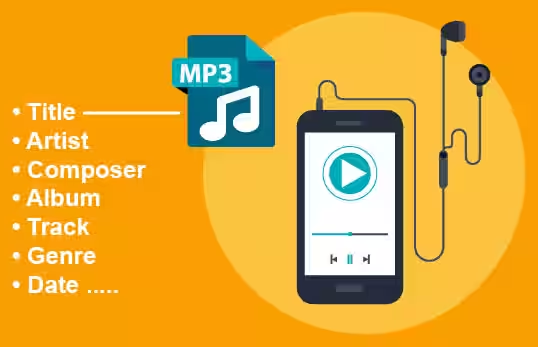
AudioTag is a web tool with one job: to identify a song from an audio file you upload. No live mic, no humming, just upload and wait.
It accepts fragments as short as 10 seconds and supports ADPCM, WAV, FLV, MP3, MP4, and several other formats. Notably, it handles digitized recordings from old tapes, which most modern apps can’t match against their databases.
You can also paste a YouTube, Coub, or YouTu.Be linked, and it fetches and analyzes the audio automatically. Identification takes between 15 and 45 seconds.
It’s slower than Shazam and has no mobile app. But if you have a file sitting on your hard drive and can’t figure out what it is, this is the cleanest option.
Platform: Web (desktop) | Free: Yes
9. WatZatSong
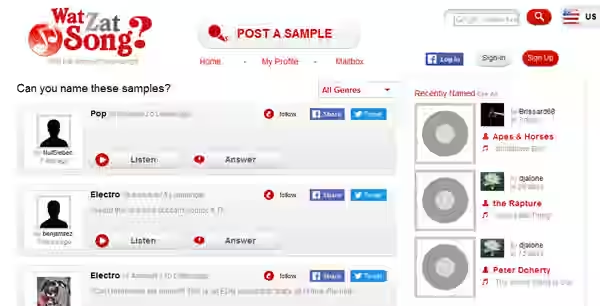
WatZatSong is different from every other tool on this list. It doesn’t use a database or an algorithm. It uses other humans.
You upload a short audio clip, or even just describe the song, and members of the community identify it for you. It functions like a music knowledge social network. The community is active, and mainstream songs usually get answered within minutes.
Where it truly stands out is with rare, obscure, or low-quality recordings that automated tools can’t handle. A remix from a local DJ, a track heard in a foreign commercial, an old family recording with music playing in the background, these are the cases where human pattern recognition beats a database.
You need an account to post, but signing up is free.
Platform: Web | Free: Yes
10. Genius
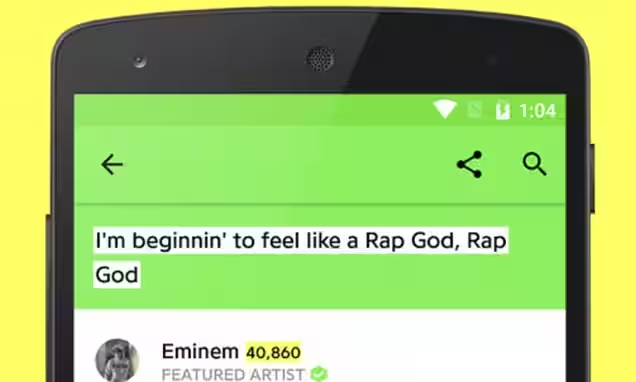
Genius is not an audio recognition tool. You type lyrics into it. But if you remember even a partial line from a song, it will find it and give you the complete picture.
A Genius song page shows the full lyrics, artist and album info, release date, writing credits, a YouTube video, and a 30-second preview. The unique part is the community annotations; fans annotate almost every line to explain references, metaphors, and backstory. On popular songs, these annotations are genuinely informative.
The mobile app uses ACRCloud for audio recognition, so it can hear a song like Shazam. But on the web, it’s purely text search.
If you know a few words and want to understand what the song is actually saying, Genius is the only tool that does both identification and deep context in one place.
Platform: Mobile + Web | Free: Yes
How to Pick the Right Tool?
Here’s the simplest way to think about it:
- Song is playing right now in public? Use Shazam.
- You only remember the melody? Use Google Hum to Search or SoundHound.
- On a desktop and need to hum? Use Midomi.
- Song is playing inside a browser tab? Use AHA Music’s extension.
- Have an audio file you need to identify? Use ACRCloud or AudioTag.
- Want the lyrics and their meaning? Use Musixmatch or Genius.
- Every automated tool failed? Post it on WatZatSong.
Final Thought
Most of the time, Shazam or Google solves it in under 10 seconds. But the less common situations, a hum, a file, an obscure remix, a song from a video, those are where people get stuck and waste time using the wrong tool. Knowing which tool fits which problem is really all you need. Bookmark the one or two that match how you most often get stuck, and you’ll rarely have to go searching for a song name again.

- Real World Agentic AI Use Cases in 2026 - March 27, 2026
- 10 Best Parental Control Apps 2026 - March 27, 2026
- Top 10 DevOps Tools Every Engineer Must Learn - March 26, 2026